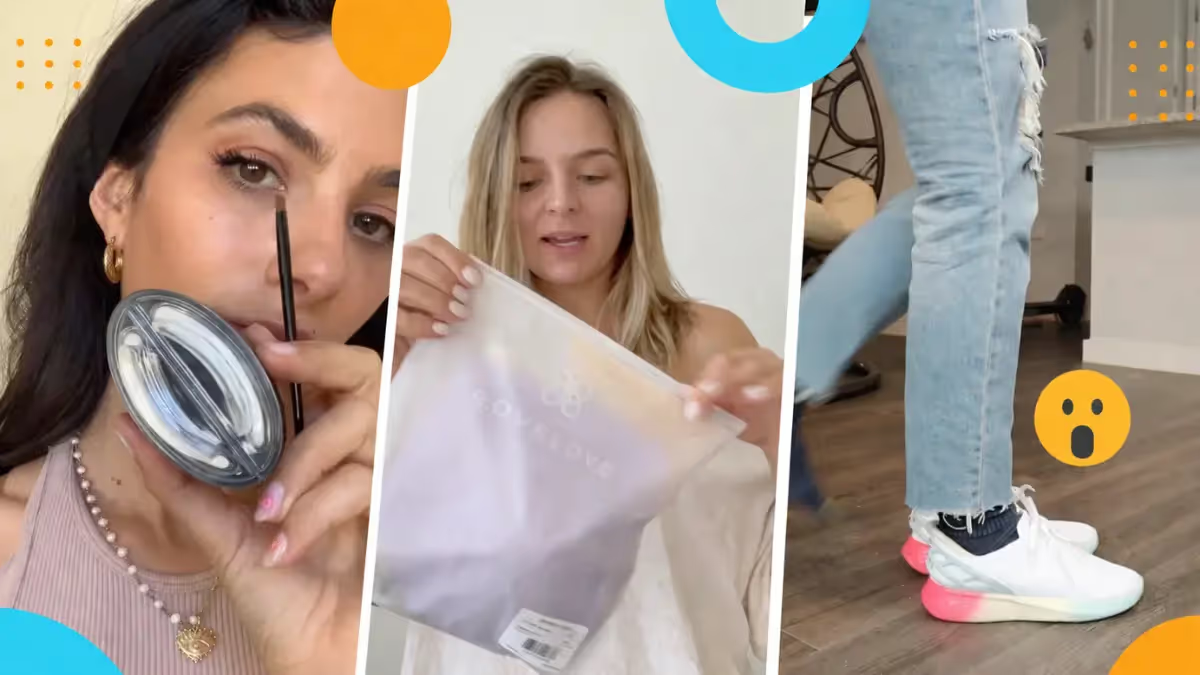
If you've spent any time on TikTok lately (and let's be real, who hasn't?), you've probably found yourself watching a video and suddenly thinking, wait, I need that.
Maybe it's a skincare serum, a kitchen gadget, or a pair of trainers you didn't know existed five minutes ago. This is not an accident. It’s TikTok Shopping Ads doing exactly what they were built to do.
TikTok has very quickly become one of the most powerful commerce platforms on the planet.
TikTok Shop generated $15.1 billion in global gross merchandise value in the US in 2025 alone, up from $9 billion in 2024. And the momentum isn't slowing down. TikTok Shop now makes up 18.2% of total US social commerce, with that share projected to hit 24.1% by 2027.
The shift from entertainment to commerce has been nothing short of staggering, and the brands and creators who are winning right now are the ones who understand how to use TikTok's ad ecosystem to actually drive sales.
What are TikTok Shopping ads
TikTok Shopping Ads are paid placements that let you put your products directly in front of shoppers on TikTok.
They're tied directly to your TikTok Shop and are designed around one goal: getting users to discover and buy your products without ever leaving the app.
Users can shop through Lives, in-feed videos, or by tapping the shop icon on a brand or creator profile, and check out directly within TikTok.
TikTok Shopping Ads vs. Regular TikTok Ads: What's the Difference?
Regular TikTok Ads are paid placements designed to drive awareness, traffic, app installs, or leads.
They live primarily in the For You feed, blend into organic content, and send users off the platform, for example to your website, a landing page, or wherever you're trying to take them.
Unlike TikTok Shop Ads, traditional TikTok ecommerce ads can have a variety of campaign objectives and goals, making them a solid tool for full-funnel marketing. TikTok Shopping Ads, on the other hand, are a specific subset of ads that were made especially for commerce and let people buy products in-app.
Note that TikTok Shopping Ads aren't available to everyone by default. They sit within the TikTok Shop ecosystem, which means you need to be a verified TikTok Shop seller first.
Here are the core requirements:
- A TikTok Shop seller account. You'll need a TikTok Business Account. If you currently use TikTok for personal purposes, you can either convert your personal account or create a separate one dedicated to your shop.
- Age and identity verification. Sellers on TikTok Shop must be at least 18 years old, with age verification done through methods like Facial Age Estimation, Credit Card Authorisation, or submitting a Selfie with ID.
- Supporting documentation. For individuals, a government-issued ID is required; for registered businesses, you'll need an EIN and business licence. The approval process typically takes 24–48 hours.
- Residency in a supported market. Product Shopping Ads are currently available to TikTok Shop sellers in Indonesia, Malaysia, the Philippines, Singapore, Thailand, Vietnam, the United States, and the United Kingdom.
- An active product catalog. Your products need to be live and in-stock in your TikTok Shop for Shopping Ads to run.
- TikTok Ads Manager access. Shopping Ad campaigns are managed through TikTok Ads Manager, which you'll set up alongside your Shop account.
TikTok Shoppable Ads Formats
TikTok has introduced three types of Shopping Ads, all designed to boost sales and increase ad visibility across the platform: Video Shopping Ads, Catalog Listing Ads, and Live Shopping Ads.
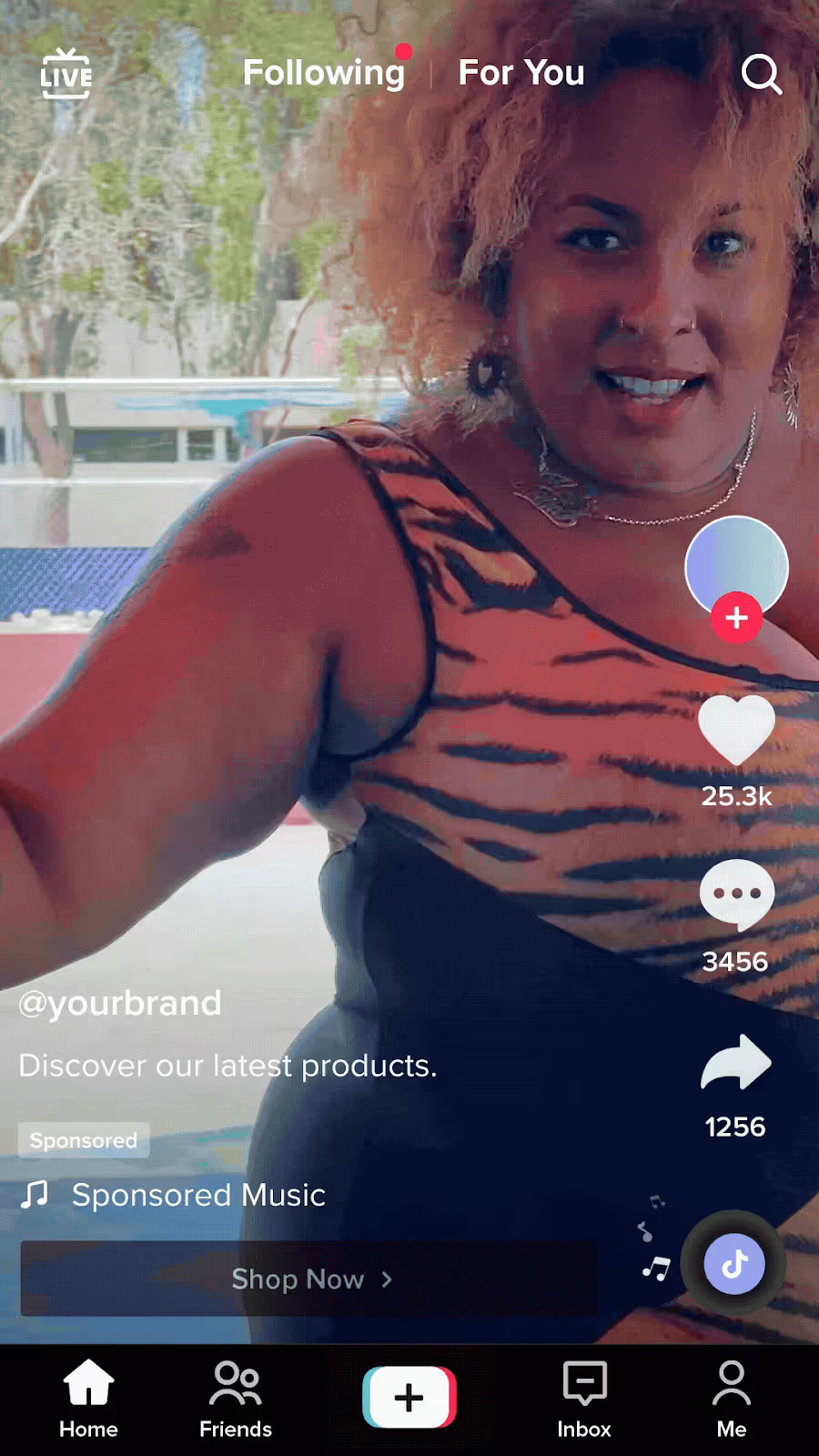
Video Shopping Ads
Video Shopping Ads look like regular videos, but with a product card at the bottom of the screen.
You can spotlight one hero product or showcase a whole range, it's totally up to you.
Clicking the product card takes shoppers straight to the product page, keeping the path to purchase as short as possible. And the more your ads run, the smarter they get: TikTok's algorithm works in the background, figuring out which creative and product combinations are converting best and doubling down on them.
Catalog Listing Ads
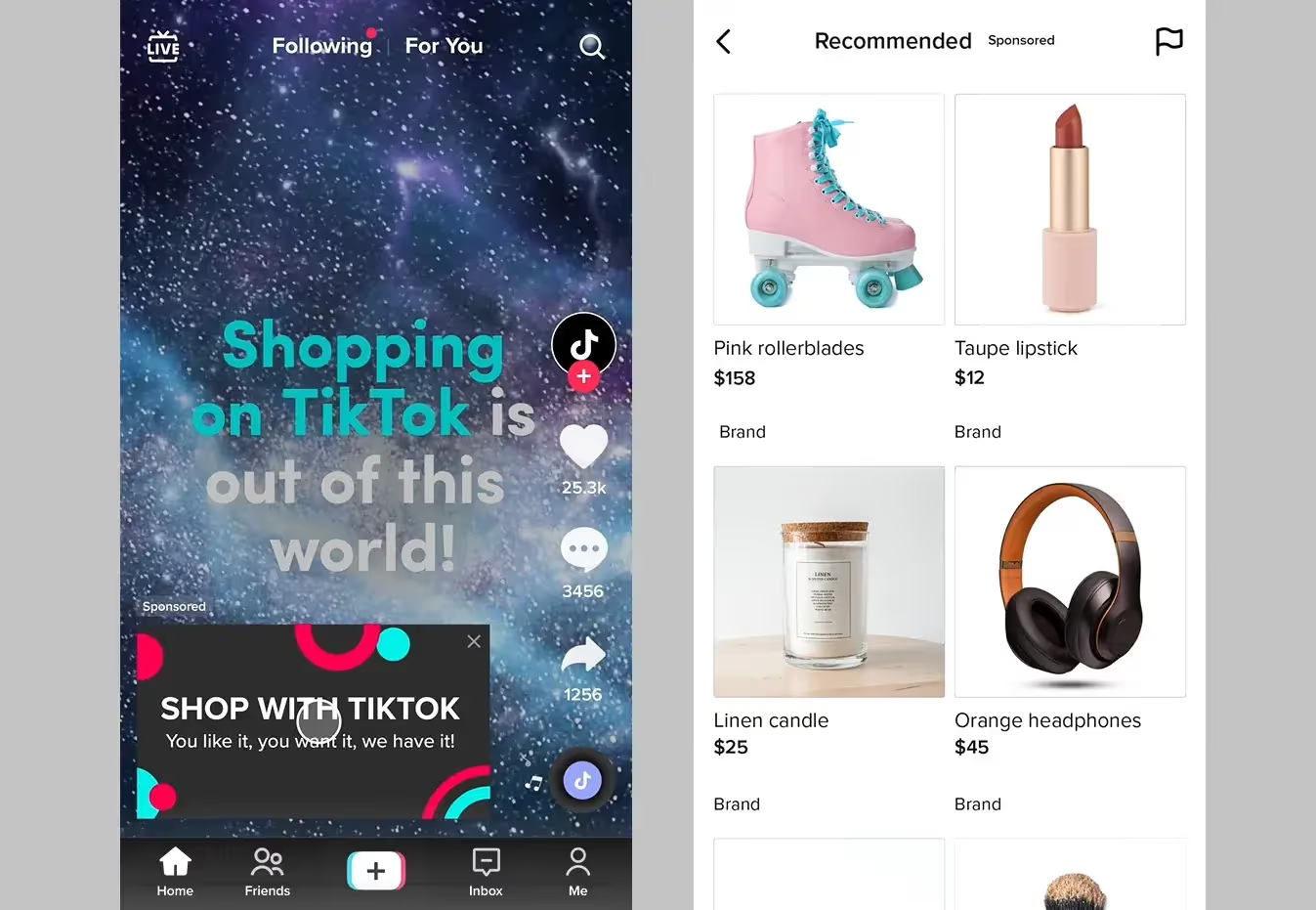
Not every brand has a full video production machine behind them, which is where Catalog Listing Ads come in.
Instead of video, these ads pull images straight from your product catalog and serve them up in a clean, shoppable format across TikTok. They're perfect for getting your products in front of a large audience at once, and they show up beyond just the For You page, so your reach goes further than you might expect.
Live Shopping Ads
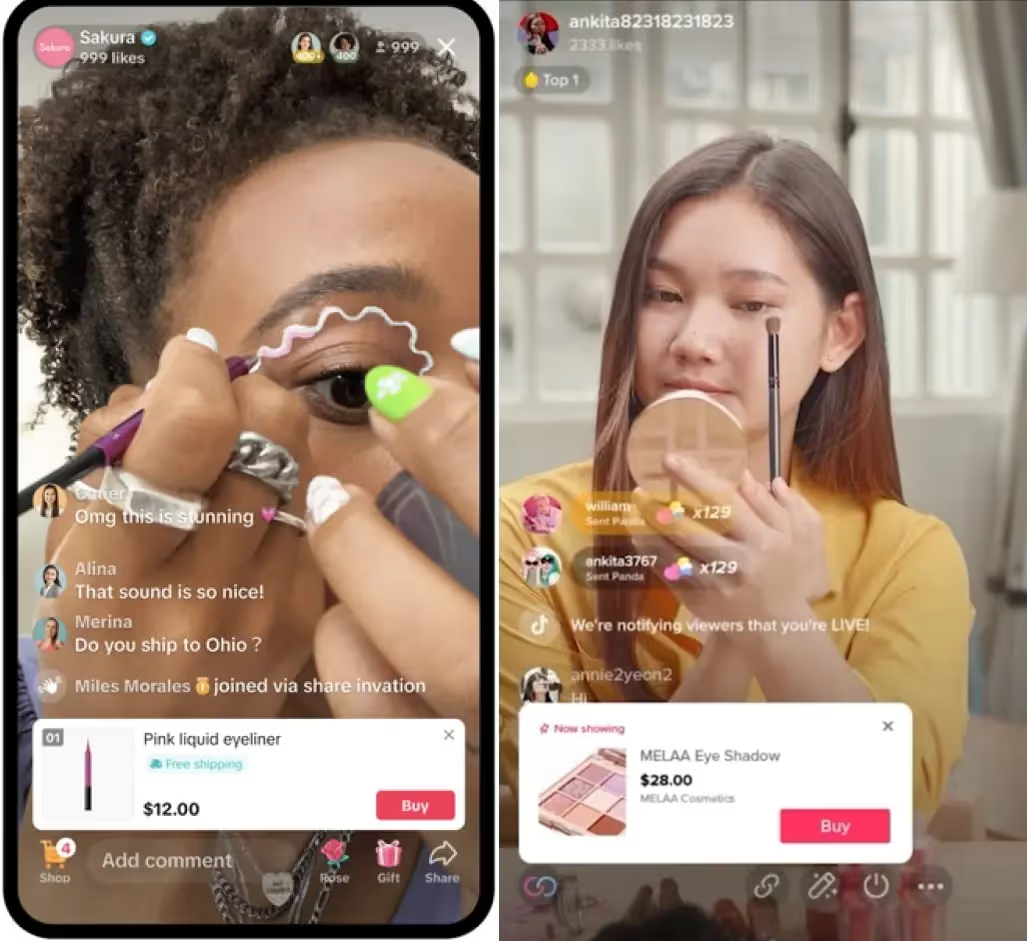
If you're already running TikTok Lives, Live Shopping Ads are a great way to promote your stream to in-feed users who are most likely to tune in and buy.
Product cards sit neatly inside the live video, so viewers can browse and purchase without breaking the flow of the broadcast.
One important heads-up for anyone getting started with TikTok Shopping Ads now: beginning July 2025, GMV Max became the default and only supported campaign type for TikTok Shop Ads.
GMV Max is TikTok's automated campaign type that essentially takes the wheel for you and optimizes your creatives, audience, and placements all with one goal in mind: getting more sales.
It's less hands-on than the old manual setup, which is great news if you'd rather spend your time on strategy than constantly tweaking settings
How to Set Up TikTok Shopping Ads
Setting up TikTok Shopping Ads might sound intimidating, but once you understand the flow, it's actually pretty logical.
Think of it as four building blocks where each one sets you up for the next. Here's how it works.
Step 1: Connect Your TikTok Shop to Ads Manager
There are three ways to connect TikTok Shop to your Ad Account:
- Through the TikTok Business Center by requesting access to one or multiple TikTok Shops.
- Through Ads Manager by linking a TikTok Account with Showcase permission.
- Directly through Seller Center, where you can connect one or multiple Ad Accounts for advertising purposes.
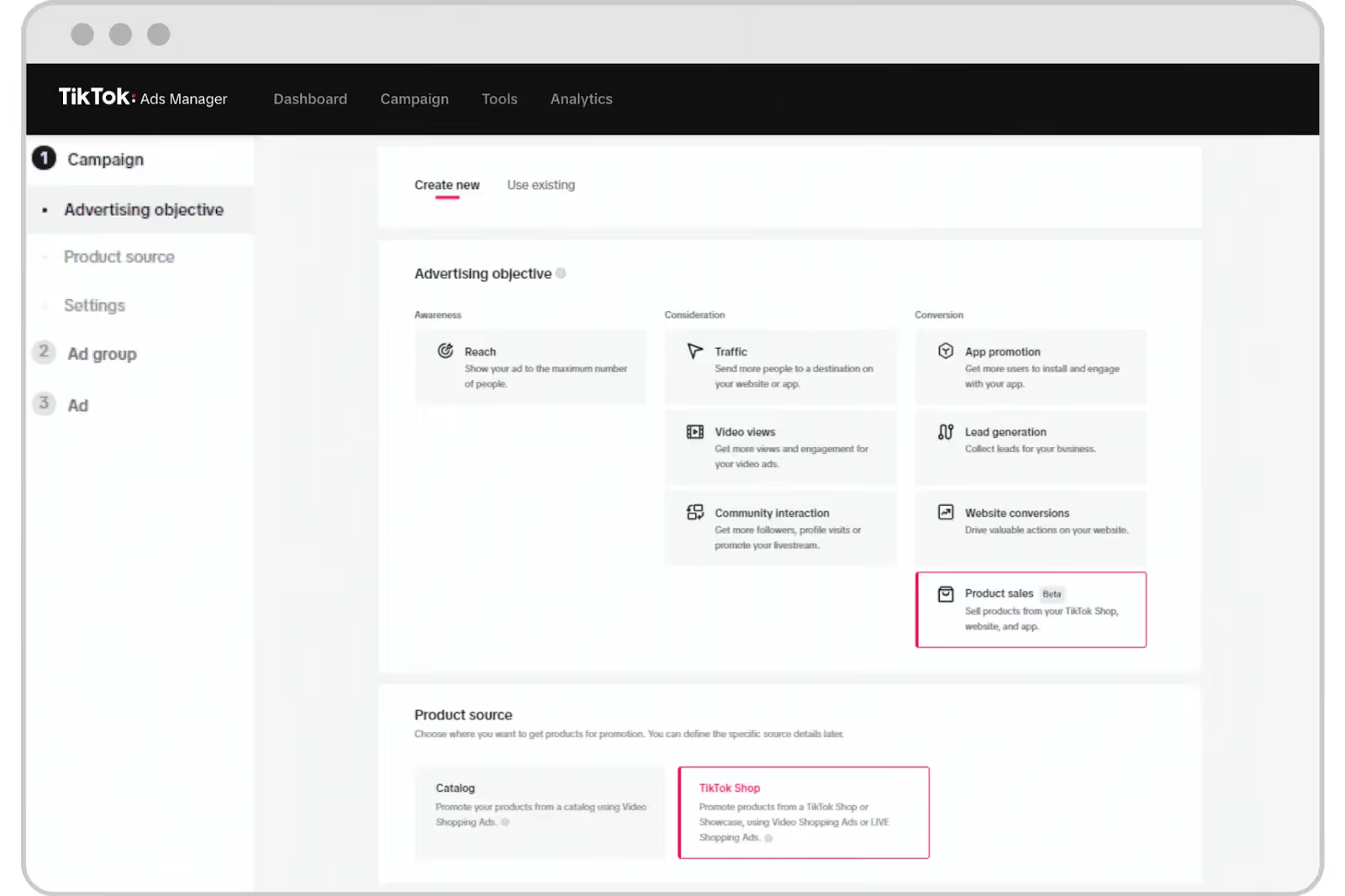
The Seller Center route is often the simplest for new sellers. Just head to the Ads tab inside your Seller Center, hit Create Campaign, and you'll be guided through linking everything up. Once the connection is live, you're good to go.
Step 2: Upload and Optimize Your Product Catalog
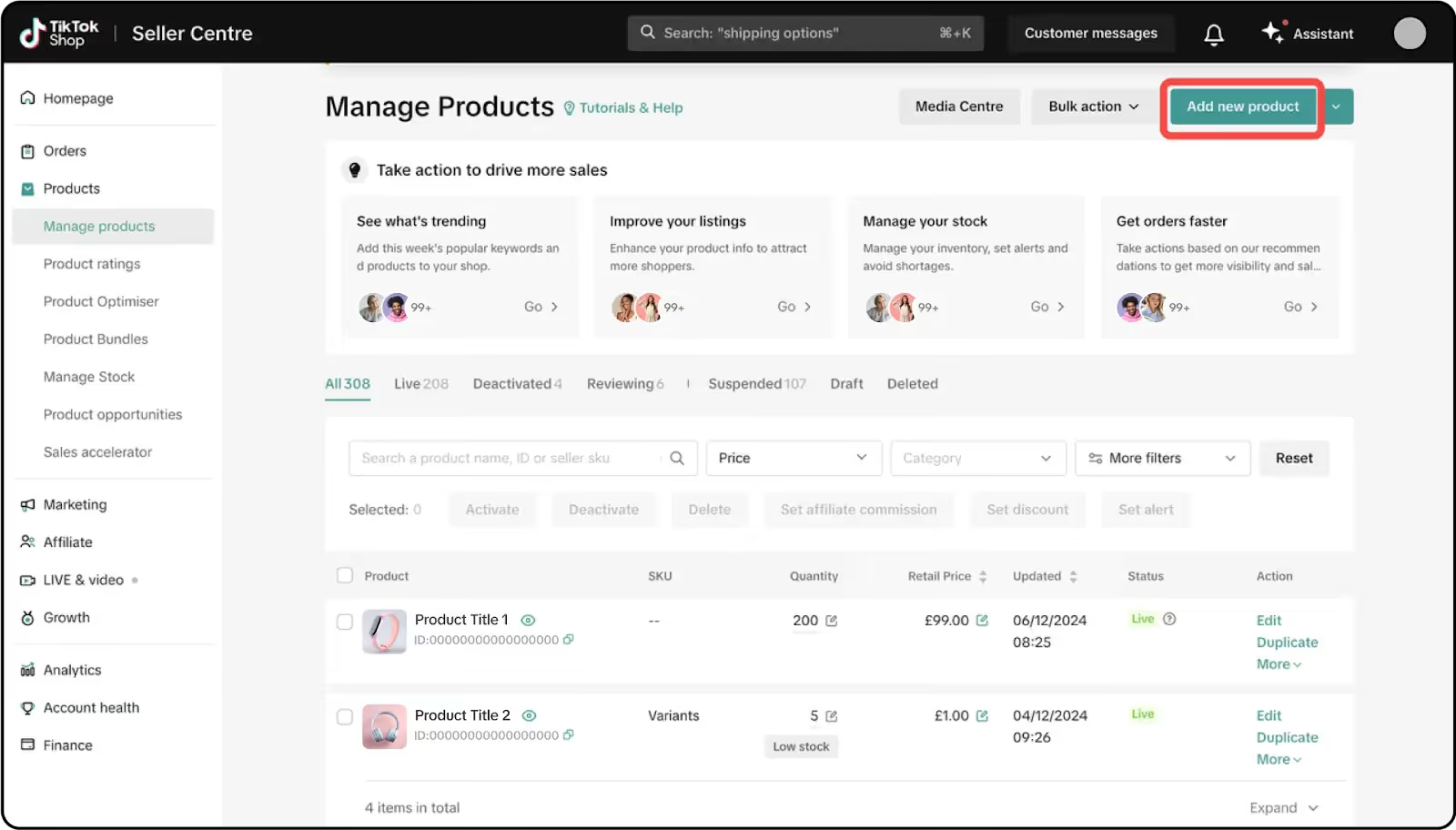
Here's what to focus on:
- Titles: Keep product titles concise, accurate, and between 40–150 characters. Think about the words your customers actually search for.
- Images: Use high-quality images that are at least 500x500 pixels (1080x1080 is recommended). Show your product against a white background, and avoid blurred images, watermarks, or distracting background elements.
- GTINs: These are your Global Trade Item Numbers. Including them helps TikTok's system properly identify your products, which improves how your ads are targeted and delivered.
- Availability: Refresh your catalog on a daily basis to keep product information consistent and up to date. Ads for out-of-stock products pause automatically.
One more thing: if you're on Shopify, WooCommerce, or BigCommerce, you're in luck. These platforms offer plug-and-play integrations where you install the TikTok app or plugin, connect your TikTok for Business account, and sync products so updates flow automatically.
Step 3: Choose Your Campaign Objective
Head into TikTok Ads Manager and hit Create Campaign as shown in the screenshot in step one.
Always select Product Sales as your campaign objective with TikTok Shop as the product source, then create and publish your ads.
From there, you'll be setting up a GMV Max campaign which, as we covered earlier, is TikTok's automated campaign type that takes the wheel on optimization.
It handles your audience targeting, creative combinations, and placements, all with the goal of maximizing your gross merchandise value. The key inputs you'll need at this stage are your budget (daily or lifetime), your campaign dates, and which products you want to promote.
Step 4: Choose Your Ad Format
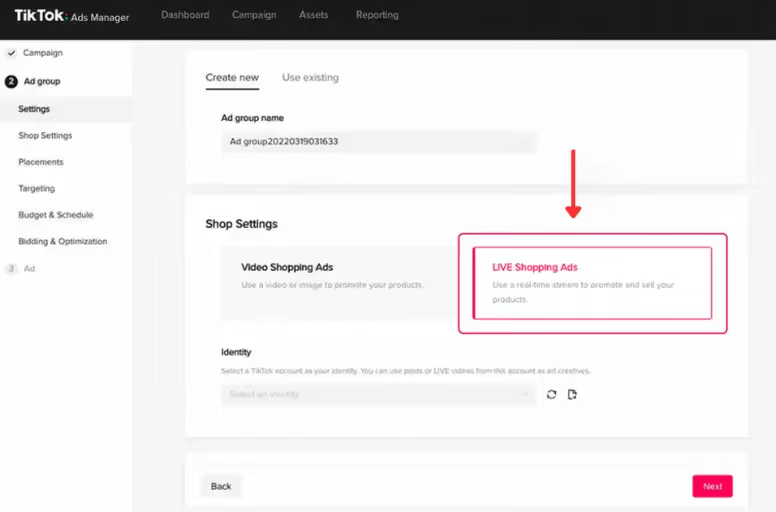
Based on what you have available and what your goals are, you'll choose one (or a combination) of TikTok's three Shopping Ad formats:
- Video Shopping Ads: Your best bet if you have strong video content or are working with creators. These show up in the For You feed as native-looking videos with a shoppable product card. Great for driving discovery and purchase intent in one hit.
- Catalog Listing Ads: The go-to if you want to promote a large range of products without producing individual videos. TikTok pulls images from your catalog and serves them as shoppable ads across the feed, Shop Tab, and Search.
- Live Shopping Ads: If you're running TikTok Lives, these are essential. They push your live stream to in-feed users most likely to engage and buy, with product cards integrated directly into the broadcast.
Creative Best Practices for TikTok Shopping Ads
Good ads on TikTok don't look like ads. The platform rewards content that feels native, authentic, and genuinely entertaining. Here's how to nail the creative for each format.
Video Shopping Ads
- Hook in the first 3 seconds. TikTok users are ruthless scrollers. If your opening shot doesn't stop the thumb, you’re toast. Lead with something visually surprising, a bold statement, a relatable problem, or a reaction that makes people think wait, what?
- Show the product in action and show the price. People on TikTok aren't passively browsing, they're actively looking to be convinced. Demonstrate your product being used in a real, relatable context, and don't shy away from putting the price or offer on screen.
- Lean into UGC and creator content. UGC outperformed non-UGC content by +55% ROI in a study of TikTok ecommerce brands, with unbranded UGC performing +19% better than branded versions. Real people talking about real products just converts better.
- Keep captions and CTAs simple. "Shop now", "Get yours", "Link in bio". Captions should reinforce what's already happening on screen, not compete with it. And always make sure your product card is in place so it’s easy to buy.
- Refresh your creatives regularly. TikTok recommends having at least 3–5 creatives per ad group, and adding a new creative ideally once a week or when you notice creative fatigue.
Live Shopping Ads
- Theme your Lives around promo windows. Build yours around a sale, a product launch, a "first look", or a limited-time bundle… anything that gives viewers a reason to tune in now rather than later.
- Stack your best offers at peak viewer times. Most TikTok Live audiences build gradually, so don't blow your biggest deal in the first five minutes. Save your strongest offer or flash discount for when viewership is at its highest (usually 20–30 minutes in) to maximize the impulse purchase moment.
- Warm your audience up with VSA clips beforehand. Running short Video Shopping Ads in the days before a Live is one of the most underused tactics out there. It primes your audience, builds familiarity with the products, and means people who tune into the Live are already halfway convinced.
Catalog Listing Ads
- Get your titles and primary images right first. These ads live or die on the quality of your catalog. Product titles should be concise, accurate, and between 40–150 characters. And your primary image needs to be clean, high-res, and immediately show what the product actually is.
- Test lifestyle images against product-on-white. There's no universal winner here, it genuinely depends on your category and audience. A white-background image of a supplement bottle might outperform a lifestyle shot; a fashion piece might do the opposite. Run both and let the data tell you.
- Don't neglect your catalog health. Outdated prices, out-of-stock products, and mismatched descriptions between your catalog and your product pages will all hurt your ad delivery. Treat your catalog like a living document.
TikTok Shoppable Ads vs Other TikTok Ad Types
If you've spent any time in TikTok Ads Manager, you've probably noticed there are a lot of ways to run ads on this platform.
Shopping Ads, Spark Ads, standard in-feed ads… they all look similar in the feed, but they work very differently under the hood.
Here's a quick breakdown to help you figure out which one belongs in your strategy (spoiler: ideally, more than one).
Run Shopping Ads with Insense
Let’s talk about the creative bottleneck for a moment. You know your ads need fresh, authentic, native-feeling video content to perform, but producing that content consistently is genuinely hard.
Cue Insense, an all-one-solution for UGC and influencer marketing. Even better, it’s also an official TikTok Shop Partner, which means it’s purpose-built for exactly this kind of work.
Here’s what makes it particularly useful for shoppable TikTok ads:
- A vetted creator pool that actually delivers. Insense gives brands access to 115,000+ vetted UGC creators and micro-influencers across the US, UK, Canada, Germany, and more, with filters for category, language, age, location, follower count, and beyond.
- Fast turnaround on content. With a turnaround time of just 5–15 business days, brands can quickly adapt to market needs and trends (great when you’re trying to keep your ad groups fresh).
- TikTok Spark Ads built right into the workflow. Insense lets you set up TikTok Spark Ad collaborations directly through the platform's chat feature, so you can take a creator's best-performing organic content and boost it as a Shopping Ad without the usual back-and-forth of tracking down codes and permissions.
- Licensing and payments handled automatically. Usage rights are recorded and stored automatically when you approve content a creator has delivered.
- Real performance data in one place. Insense's performance dashboard tracks collaborations, creative assets, views, reach, engagement, and spend all in one place.
If you're serious about making TikTok Shopping Ads work, give Insense a go. Try it for free or book a demo.


.avif)
.avif)