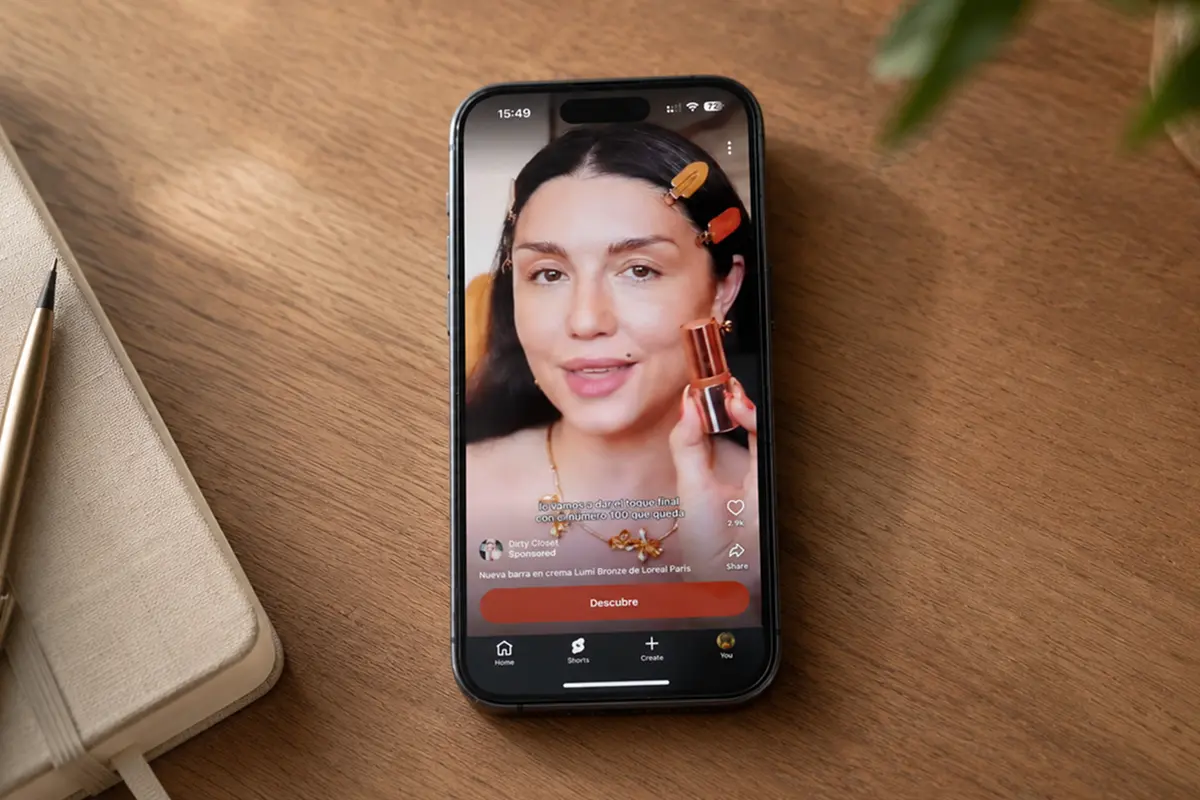
TikTok Spark Ads let you promote organic TikTok posts while preserving likes, shares, comments, and follower growth on the original post.
Brands can boost their own posts or an influencer’s post, provided they have authorization from the content owner.
This guide explains how Spark Ads work, what you need to run them, and the exact steps to launch them in TikTok Ads Manager.
What are TikTok Spark Ads?
Spark Ads is a native TikTok ad format that lets you use organic TikTok posts as ads.
Spark Ads keep the post’s social features, and engagement gained during promotion is attributed to the original post.
You can run Spark Ads using your own account posts or another account’s post with authorization.
It gives brands 2 choices when publishing ads:
- Using their brand’s own TikTok account's content
- Using organic posts by other content creators on TikTok (with their authorization)

Use Spark Ads when you want to scale a post that already feels native on TikTok.
Spark Ads keep social proof on the original post, and the engagement gained during promotion stays on that post.
Spark Ads presents new opportunities for brands to level up their presence, start conversations, and build stronger customer connections all without doing the ad creation themselves.
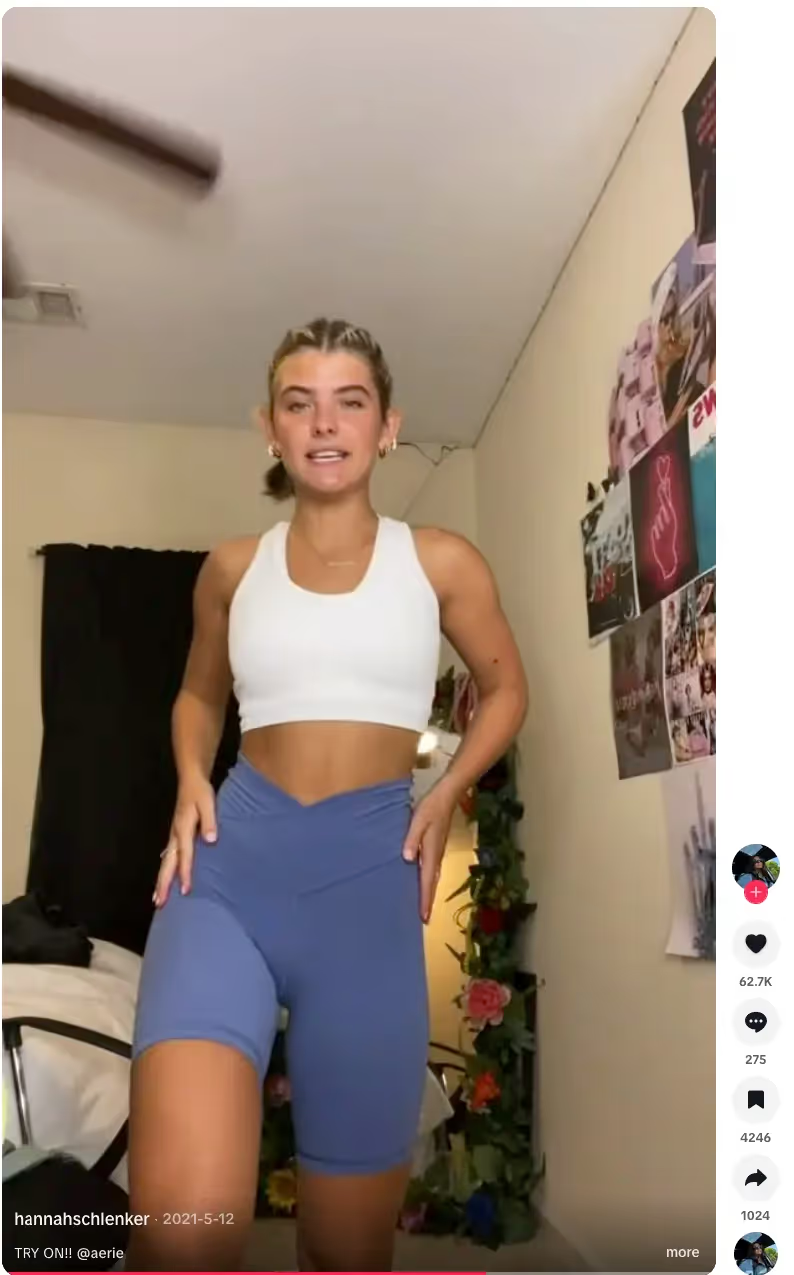
A creator post can go viral without brand involvement.
When that happens, Spark Ads let the brand amplify the original post with the creator’s authorization.
The brand can reach out to the original creator and ask permission to use the organic post as either an In-Feed Ad or TopView Ad.
What You Need Before You Run Spark Ads (Requirements)
- A TikTok account to use as the ad identity (your own linked account or an authorized account).
- Authorization to use the post if it is not your own (Spark Ads authorization through Business Center or a video authorization code, depending on setup).
- A public post that is eligible for promotion.
- Final caption and creative ready. You cannot edit a post’s caption after it has been authorized as an ad.
Before moving forward, you need to What is the Spark code on TikTok!
What Is a TikTok Spark Code?
A Spark code is an authorization code that lets an advertiser promote an organic TikTok post as a Spark Ad.
The code connects the post to the advertiser’s Ads Manager so the post can be selected in the Spark Ads creative picker.
The creator generates the code inside TikTok, then shares it with the advertiser.
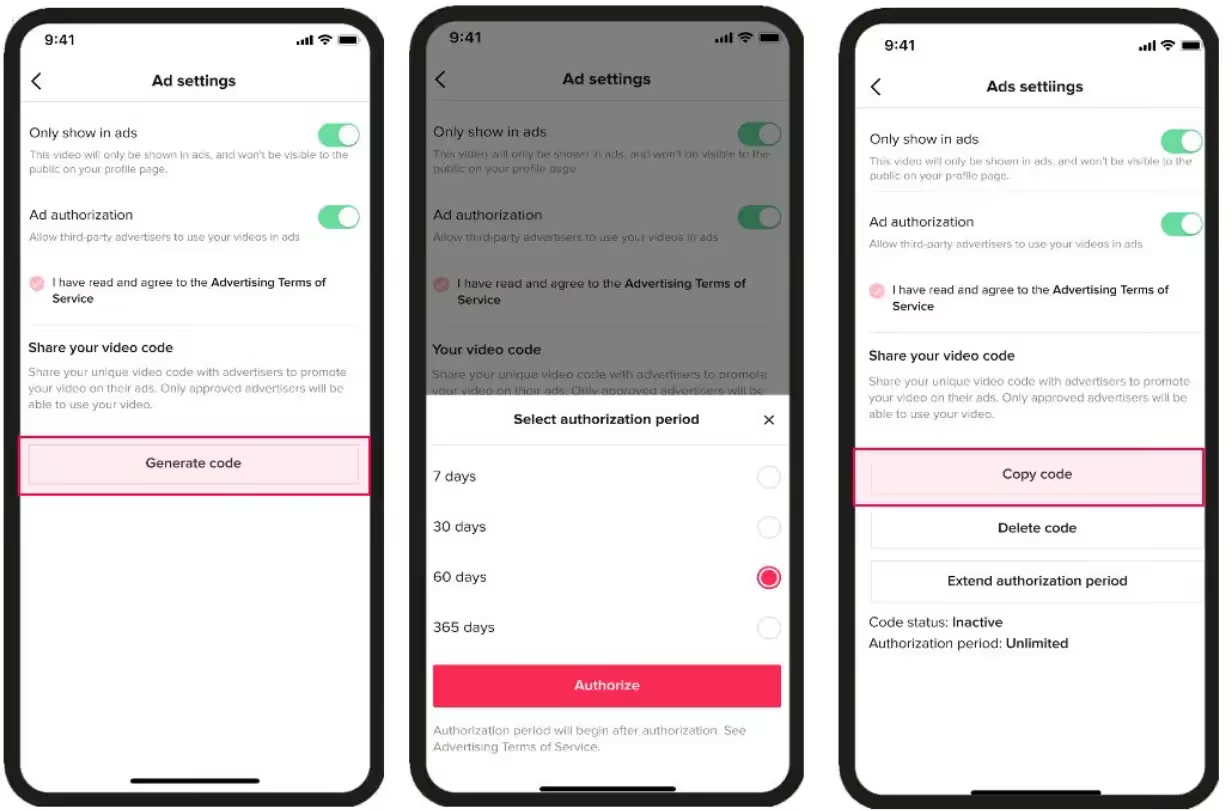
To generate a Spark code, the content creator must follow these five steps in the TikTok mobile app:
- Navigate to the post: Open the specific video you want to authorize.
- Access Ad Settings: Tap the three dots (...) or the "Share" arrow and select "Ad settings."
- Enable Authorization: Toggle "Ad authorization" to ON.
- Set Duration: Select the authorization period (30, 60, or 365 days).
- Generate & Copy: Tap "Generate code," then "Copy code" to share it with the brand.
Where To Enter a Spark Code In TikTok Ads Manager
Once you have the code, you must link the post to your ad account before creating the campaign:
- Go to Tools → Creative Assets → Spark Ad posts.
- Click Apply for Authorization.
- Paste the code and click Search.
- Confirm the post details and click Link.
Spark Ads vs non-Spark
Use Spark Ads when you want social proof on the ad and you want the ad to run from a real account.
Use non-Spark ads when you want full creative control or you are running assets that are not published as posts.
If you already have a post performing well organically, Spark Ads are usually the fastest way to scale it.

How do TikTok Spark Ads Work?
Spark Ads use an organic TikTok post as the ad creative.
The ad shows the original account identity and keeps social actions like likes, comments, shares, and follows.
Spark Ads work for both branding and performance goals.
TikTok also recommends choosing posts that already have organic likes and views, because strong organic posts tend to perform better when amplified.
How To Create Spark Ads in TikTok Ads Manager
There are two common ways to set up TikTok Spark Ads: pull an existing post using authorization, or push a new post from Ads Manager.
TikTok’s flow differs slightly for Manual/Search campaigns and Smart+ campaigns.
Step 1: Get authorization from the creator (if it is not your post)
Creators can generate an authorization code inside the TikTok app from the post’s Ad settings, then share that code with the advertiser.
Step 2: Create Spark Ads for Manual and Search campaigns
- In TikTok Ads Manager, go to Campaign → Create and set your campaign and ad group.
- In Ad details, open the creative selection drawer and select the TikTok posts tab.
- Select the post you want to use, or click Add post to authorize new posts by video code (TikTok supports batch authorization up to 20 codes).
- Add UTMs to your landing page URL so you can attribute clicks and conversions outside TikTok.
- Finish destination, tracking, and publish.
Step 3: Create Spark Ads for Smart+ campaigns
In Smart+ campaigns, you still choose an identity (linked account or authorized posts via code). Then you select posts from the creative selection drawer and submit the campaign.
Important notes
- You cannot edit a post’s caption after it has been authorized as an ad.
- TikTok also allows managing Spark Ads via Tools → Creative library → Spark Ad posts.
Before we finish how to run TikTok Spark Ads , please check the below checklist.
TikTok Spark Ads Checklist Before You Publish
- Pick a post that already has strong organic likes and views.
- Confirm your caption is final before authorization.
- Add tracking (UTMs) so you can attribute results outside TikTok.
- Test Spark Ads vs non-Spark In-Feed for the same offer.
- Monitor comments and reply fast to maintain social proof.

Isle of Paradise ran a paid campaign that combined branded content with creator UGC for its Glow Drops.
Creators posted how-to videos using the #WakeUpandGlow hashtag, and the brand also boosted organic testimonials with Spark Ads.
TikTok for Business reported that the campaign delivered 500% ROI, 45M video views, and a 68% increase in weekly revenue versus the prior nine weeks.
Maximize UGC ads with TikTok Spark Ads + experience engagement like never before
Spark Ads just completely changed how brands can advertise on TikTok—for the better.
This era in advertising is definitely interesting as it is heavily dependent on the quality of content that’s already out there.
It’s also no longer about quick clicks and quick sales, but about building solid relationships and being part of a community.
Do keep in mind that your Spark Ads will be even more successful when you work with experienced content creators who can churn out quality UGC. Quality UGC plus Spark Ads will take your brand’s success even higher.
Book a demo to see how it works for your brand, or try it for free to test a campaign yourself.
FAQs and Spark Ads Troubleshooting
Why is the Spark code not working?
The authorization may be off, expired, or set to the wrong duration. Generate a new code and try again. Also confirm the post is public and eligible.
Why can’t I find the post in Ads Manager?
Make sure you applied the Spark code under Spark Ad posts first. Then select it from the TikTok posts tab during ad creation.
Can I run Spark Ads from my brand account without a code?
Yes, if the post is published on the TikTok account linked to your Ads Manager. You still need to select the post in the Spark Ads creative picker.
Can I edit the post after I generate a Spark code?
Treat the post as final before authorization. If you change the post, you may need a new code.
.avif)